Showing posts with label Techniques. Show all posts

Friday, 30 August 2013

The Art Fish : Portishead and Octogirl...


Thinkspiration of the day :


Mmm ok so I can't draw for toffee.
Maybe it's all the ammonites I've been making of late; Today I was struck with the idea to create an octo-dress. Oh and right here as an aside -  last night I had some inspired idea to make my own hair brushes by scanning in some wigs and hair pieces I own. I'm quite pleased with the result and have included the file for the hairbrush I made and used in this image for you at the end of this blog.

[ We now return you to your regular programming...]

So yeah... octo-dresses. One day when I grow up, I'll make them in Cinema 4D - meanwhile...

It starts a bit like this...- fast forwarding several steps of removing background and creating octodress...
Several hours later... (Trial and error)
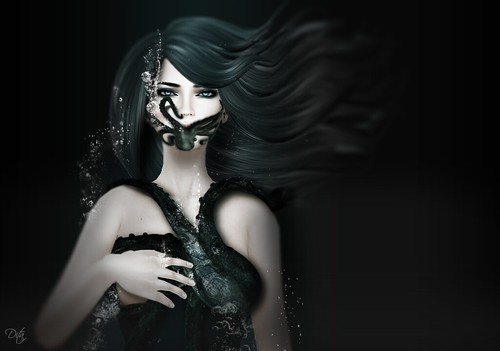
Octogirl 1 (cropped)

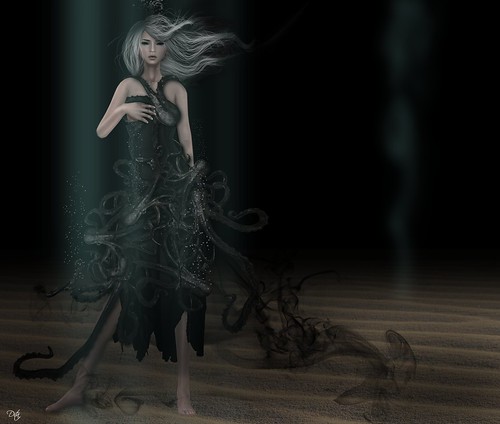
Octogirl 2 (Full)


Download : Oddfish Hairbrush 1


Thursday, 29 August 2013

The Art Fish : On clones, mechanoids and the premise of Art.

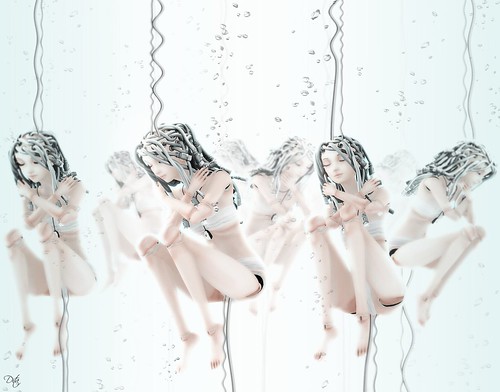
Embryonic 1
It's funny to myself, how a change in ones own mindset can result in a burst of creativity or inspiration. I suppose it should have been obvious to myself really; given my main occupation is about branding and rebranding for the matter. Anyway I digress...

One of the new things I'd like to blog more about is my own personal explorations in using virtual media to create valid art. Over on my flickr I mentioned a little about how intrigued I am by the idea of identity and the homogenic. This also spills  over to wider ideas that swim around the central theme of intellectual copyright and original thought. (Yes bear with me - my mind makes those sorts of connections!) I'm likely to blab about that now and again too!

So this series echoes a lot of varied ideas.
Creatively - it went something like this :

Embryonic-2
D thinks .o(Hmmm I wonder what embryonic dolls dream of...)
Later that day...
This idea of android dreams are something of a penchant and based in part on my recollections of things I used to dream up in childhood. The mecha-doll fish also has some reference to my fondness for Michael Manning's Hydrophidian
Embryonic-3 : Mecha-Amonite I
Embryonic-2 : Mecha Amonite I
Embryonic-3 : Mecha-Amonite II
Embryonic-3 : Mecha Amonite II
Embryonic-4: Mecha-Kraken
Embryonic-4 : Mecha Kraken
Embryonic-4a: Mecha - Amonites in tank
Embryonic-4a : Mecha-Amonites in Tank

I thought it would be nice to share some personal techniques in the form of a PSD formatted file which you are free to use, remix and redistribute (non commercially). I created the glass marble sphere in Embryonic 2 from a number of hand drawn layers and composites which I am placing here for you to play with. Have fun and don't forget to let me know if you found it useful.

<3 The Dita fish.
Thank you for visiting
Original PSD for free use


Friday, 6 January 2012

The Discoveryfish : Pile Ups

Ourfish is new to the world of flickr, and D came across this fascinating thing to do on it. Called a pile-up, (not a pile-on as F so kindly points out)

Cue music :
It's like a round-robin of image-connivance where an original author puts up a work to start. Someone-else adds or subtracts things from that image and the idea is that this continues ad infinitum... And the original pic

To be piled upon
By Kota Buck
Which struck D as being almost as elfin like as the Icelandic pop princess.
Thus resulting in this pile-up and image-agitation.
Seed
"Seed"
Which came first? The video or the imagery? Actually,after playing around a bit with the original image D found herself seizing on the seed like danglys of the model's earrings - and the idea (pun intended) just grew from there. The video though similar, was added only as an afterthought.

Monday, 2 January 2012

The Artfish : Depth of field

Cry Baby
"Cry Baby"
D of Ourfish reckons that her graphics card is too retro to do the amazing captures some people appear to be doing with that new option in their SL3 browsers - So any blog picture you see with depth of field is done with a little fairy magick - The photoshop CS4 fairy that is.

What is depth of field?


(Quotes from Wiki)
In optics, particularly as it relates to film and photography, depth of field (DOF) is the distance between the nearest and farthest objects in a scene that appear acceptably sharp in an image. Although a lens can precisely focus at only one distance at a time, the decrease in sharpness is gradual on each side of the focused distance, so that within the DOF, the unsharpness is imperceptible under normal viewing conditions.


Depth of field from an SL manipulation point of view actually makes a capture from inworld more " realistic". Ordinarily, as all objects within a scene are virtual they are also rendered on the same specified plane (i.e your draw distance). It is your 'cinematic' eye, or camera view which then 're-renders' the scene with additional calculations for presenting this perspective of nearness and distance.
crybaby0
Although depth of field is now an option in SL 3 viewers, this 'Original' capture lacks it.

D thinks everyone who uses photoshop probably has their own little methods and ways on how to do things. It is quite possible that the program itself has some sort of smart filter in it that will likely outdate this tutorial. Nonetheless , the following is how " Cry Baby" was put together.

crybaby0a
In this screen capture, we see the original  (bottom most layer) and the eventual layers to be added which will go towards creating the final image ie. 1) Depth of field layer 2) Shadow Layer.
The Black and White Layer depicted in the layers tab is the transitional  from the original , illustrating desaturation to create the monotone 'depth of field' 


crybaby0b
Create a copy of the original layer and turn this into black and white using any number of methods (ie, apply black and white filter, or use desaturation )
Then take the now monotone layer and apply the filter 'Gaussian Blur' set at Radius 2.0 pixels.
Here we illustrated the process in a cutaway from original so you can see the difference after applying the two processes.
crybaby0c
Use your eraser tool set to a wide brush and a small opacity (Here it's 100 pixels and 19% opacity)
We erase the parts of the layer that we want to see crisp and sharp;
Thus leaving the parts that we want to look distant - blurred.
The art idea here is  for focus to be in colour and for what is not focussed, to be black and white.

crybaby0d
In this capture you can see that shadow is added  to pick up the idea of a depth of field
as well as to illustrate a light source. As this is the final frame of the process,
you can see that  the smudge tool was selected. D calls it 'sculpting the shadows' by smudging over a layer of drawn black lines.
This is a somewhat quick and easy way to create shadows in three simple steps. 
crybaby0e
Step 1) Create a new blank layer and draw some thick black lines over your image
roughly where you might likely capture shadows
Step 2) Use the 'Gausian Blur' filter to soften this line and change the opacity
and pixel density of your  drawn  'shadow'
Step 3) Select smudge tool and 'nudge' your shadows so they follow the contours of your central focus 
crybaby0f
End Credits: The final  assembled image  is now an application of  three layers to the original; ie.
Depth of field
Shadows
and lastly a Vignette frame
 which was simply a drawn black border set to blur.


Thus concludes our little workshop. Have yourself a creative and fun SL!

Saturday, 24 December 2011

The Artfish : Water Colours

Water Colours
Water colours
Today's art discovery for D of Ourfish is the water colour brushes of her archaic CS4 version of photoshop. Used here to create a swash from background to foreground.
" I'm working my way towards autumnal klimt'eque aesthetics atm"

Screen Capture of D's Desktop in CS4
Using multiple layers with different properties
is an essential part of making this picture.